Why Your Local Business Needs Google Business Profile (And How to Set It Up in 10 Minutes)
If you run a shop, café, restaurant, B&B, salon, garage, building firm or local service business, people are probably searching for you on Google already.
The question is: what do they see when they find you?
Do they see the right phone number? Your current opening hours? Helpful photos and recent reviews? Or an empty listing with old information and a blurry image from 2019?
That is where a Google Business Profile earns its keep.
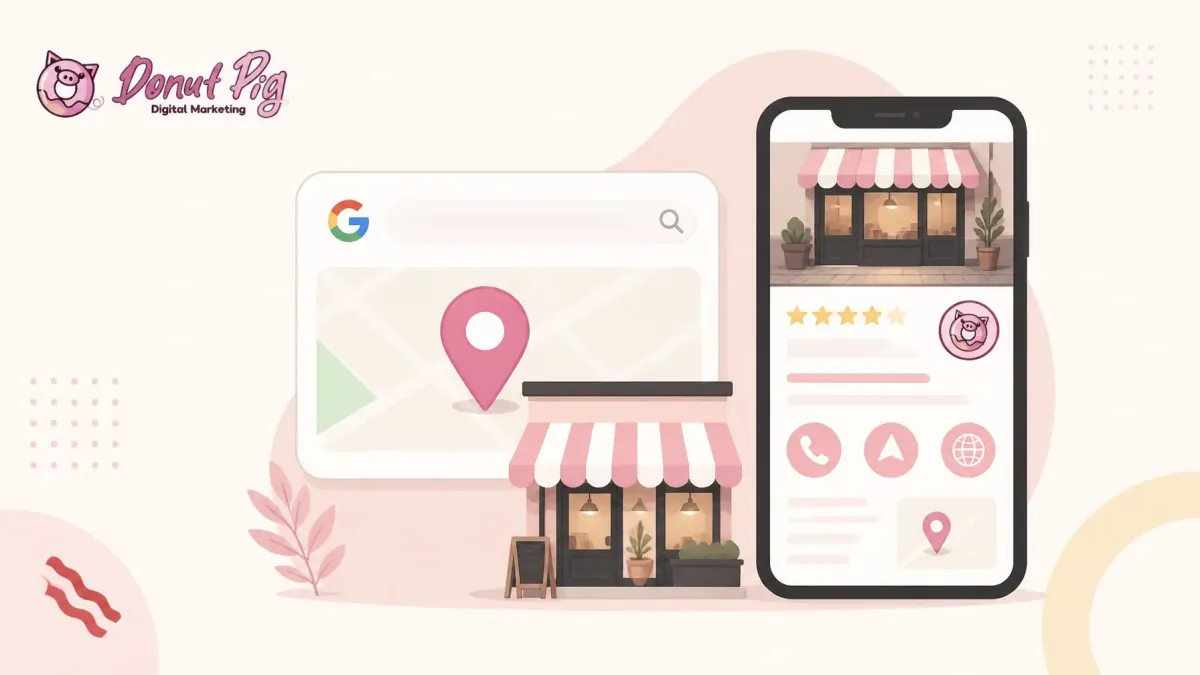
It is free, it appears in Google Search and Google Maps, and it gives potential customers a quick way to call you, visit your website, ask for directions, view your services and decide whether you look trustworthy.
In this guide, we’ll explain why it matters and show you how to set up or improve yours in around 10 minutes.
> “Take control of how your free Business Profile appears on Google Search and Maps.” , Google
What is a Google Business Profile?
A Google Business Profile is the information panel that appears when people search for your business or look for local services on Google Maps.
It can show:
Your business name and category
Address or service area
Opening hours
Phone number
Website
Photos
Products or services
Customer reviews
Questions and answers
Updates, offers or events
Booking, ordering or enquiry options, where available
Think of it as your digital shop window.
You do not need a large website or a huge marketing budget to make a good first impression. You do need accurate information and a profile that looks like a real, active business.
Why does Google Business Profile matter for local businesses?
1. It helps nearby customers find you
When someone searches for “plumber near me”, “cafés in Elgin” or “B&B near Inverness”, Google looks at local businesses that may be relevant.
A complete Business Profile gives Google useful information about what you do and where you operate.
It does not guarantee a top position. Nothing honest can promise that. But without a properly managed profile, you are making it harder for Google to understand your business and harder for customers to choose you.
For local businesses, being visible on Google Maps can be just as important as appearing in normal search results.
2. It gives customers the information they need quickly
Most people do not want to dig through a website to find out whether you are open or how to contact you.
Your Business Profile can put the useful bits right in front of them:
Call: A customer can phone you directly from the listing.
Directions: They can get directions to your shop, restaurant, office or venue.
Website visits: They can click through to your website to view menus, prices, galleries or booking information.
Enquiries: Depending on your business and available features, people may be able to message, book or request a quote.
That small bit of convenience can make a real difference. If contacting you takes five taps and contacting a competitor takes one, guess who gets the first chance?
3. It builds trust before someone gets in touch
Reviews, photos and up-to-date details help potential customers feel more comfortable choosing you.
For example:
A café can show its menu, seating area and best dishes.
A tradesperson can show completed work, branded vehicles and useful service details.
A B&B can show bedrooms, shared spaces, parking and the surrounding area.
A local shop can list products, opening hours and accessibility information.
A beauty or wellness business can show its treatment rooms and booking options.
Google’s own business guidance highlights reviews, photos, services and updates as ways to help customers understand what you offer.
> “Google Business Profile reviews are key to our success, providing brand acknowledgement and giving customers the confidence to purchase.” , Stephen Einhorn, London business owner
4. It supports your wider local marketing
Your Business Profile is not a replacement for your website or social media. It works alongside them.
Your profile helps people discover you. Your website can then provide more detail and turn interest into a booking or enquiry.
If your website is looking a little tired, take a look at our guide to web design and hosting for small businesses. A clear website and an accurate Google listing make a much better team than either one working alone.
How to set up or improve your Google Business Profile in 10 minutes
You can create or manage your profile through Google Business Profile, usually while signed into the Google account you want to use for the business.
Set a timer if you like. Here is the practical checklist.
Minute 1: Claim or find your existing profile
Search for your business name on Google and Google Maps.
You may already have a listing, even if you did not create it yourself. If it exists, choose the option to claim or manage it.
If there is no listing, create a new Business Profile.
You should normally have one profile per business location. Creating several listings for the same business can cause confusion and may lead to problems.
Minute 2: Add your real business name
Use the name your customers recognise in the real world.
That means the name on your signage, invoices, website and business stationery.
Do not stuff extra keywords into the name. For example, if your business is called “Smith Plumbing”, do not rename it “Smith Plumbing – Emergency Plumber in Manchester – Best Prices”.
It may look tempting, but it can breach Google’s guidelines and make your listing look less trustworthy.
Minute 3: Choose the right primary category
Choose the category that best describes what your business is, not every single thing it does.
Examples might include:
Plumber
Hairdresser
Coffee shop
Restaurant
Bed and breakfast
Builder
Driving school
Accountant
Be as specific as you can while staying accurate. You can add relevant services later, but your primary category should describe the core business.
Minute 4: Add your address or service area
If customers visit your premises, add the full, accurate address.
This applies to shops, cafés, restaurants, offices, salons, garages and venues. Check the map pin carefully so people are not sent to the wrong street or entrance.
If you travel to customers, such as a plumber, cleaner, mobile mechanic or photographer, you can use a service area instead.
For a service-area business:
Hide your home address if customers do not visit you there.
Add the towns, cities or postcodes you actually serve.
Do not use a virtual office or PO box as your business location.
Be realistic about how far you travel.
Google allows up to 20 service areas, but your overall area should generally be within about two hours’ driving time from your base. You cannot simply draw a radius around your business.
Google explains more in its guide to managing service areas for local businesses.
Minute 5: Add your phone number and website
Use a phone number that connects directly to your business.
Add your website if you have one. Check that the link works on a mobile phone and sends people to a useful page, not a broken link or a general social media profile.
For a tradesperson, your website might link to a page explaining your main services. For a restaurant, it could link to the menu or booking page. For a B&B, it should ideally lead to accommodation details and availability.
Minute 6: Add opening hours
Enter the hours customers need to know.
Remember to update:
Regular opening hours
Bank holiday hours
Seasonal changes
Temporary closures
Appointment-only arrangements
If you run a restaurant, use the hours when customers can dine or order, rather than the time you start preparing food behind the scenes.
If you run a B&B or another business where customers do not visit throughout the day, make sure your profile and website clearly explain check-in, check-out and booking arrangements.
Minute 7: Add services or products
List the services or products people are most likely to search for.
A roofer might add roof repairs, guttering and emergency call-outs. A café might add breakfast, lunch, takeaway coffee and homemade cakes. A local shop could list popular product ranges.
Keep the wording simple and accurate. Include prices where useful, but do not make claims you cannot support.
Minute 8: Upload useful photos
Start with a small collection of clear, current images:
Exterior and entrance
Interior
Products or completed work
Team or service vehicle
Menu, treatment room or guest room
Parking, access or facilities
You do not need a professional photographer on day one. A tidy, well-lit phone photo is better than no photo at all.
Avoid adding images that are blurry, outdated or unrelated to your business.
Minute 9: Write your business description
Explain:
What you do
Who you help
Where you work
What makes your business useful or different
Keep it natural. Do not cram in a list of search terms or add website links to the description. Google’s business representation guidelines explain what is and is not allowed.
A simple example:
> “Family-run joinery business serving homeowners across Moray. We design and install made-to-measure kitchens, storage and furniture, with a friendly service from first measuring visit to final fitting.”
Minute 10: Request verification and plan your first update
Request verification when Google prompts you.
The request may only take a minute, although the verification process itself can take longer. Your profile may need to be verified by video, phone, email or another method selected by Google.
Then add a short update, such as:
A new service
A seasonal opening-hours reminder
A recent project
A new menu item
An upcoming event
A helpful customer notice
Do not forget your reviews
Ask genuine customers for an honest review after you have completed a job, served an order or finished a stay.
Make it easy by sending them your Google review link.
When reviews arrive:
Thank people for positive feedback.
Respond calmly to criticism.
Avoid arguing or sharing private details.
Never buy reviews or offer rewards in exchange for them.
Use recurring feedback to improve the business.
Regular, genuine activity is much more useful than trying to look busy for one afternoon and then disappearing for six months.

What if you work from home?
Home-based businesses can often have a Google Business Profile if they provide in-person services or travel to customers.
If customers do not visit your home:
Choose a service-area business.
Hide your residential address.
Add the locations you genuinely serve.
Use a business phone number and website where possible.
Do not pretend to have a shopfront or staffed office.
If customers do visit your home, Google expects the location to be suitable, customer-facing and represented accurately. A virtual address is not a shortcut.

How often should you update your profile?
There is no magic number, but check your profile at least once a month.
A quick monthly review should cover:
Opening hours
Phone number
Website link
Services and prices
New photos
Recent reviews
Seasonal announcements
Questions from customers
If your business changes regularly, such as a restaurant, events venue or accommodation provider, check it more often.
Frequently asked questions
Is Google Business Profile free?
Yes. Creating and managing a Google Business Profile is free. You may choose to pay for Google Ads separately, but you do not need advertising to create a profile.
How long does verification take?
The setup can take around 10 minutes, but verification time varies. Google decides which verification method is available and may ask for additional evidence.
Can I have a Google Business Profile without a shop or office?
Yes, if you serve customers at their location. Set up a service-area business and hide your address if customers do not visit you there.
Should I add keywords to my business name?
No. Use your real-world business name. Add your services, location and other useful details in the correct sections instead.
How many photos should I add?
Start with at least five or six useful, recent photos. Add more over time as your work, products, premises or team change.
Can customers contact me through Google?
They may be able to call, message, book or request information, depending on your business type and the features available on your profile. Always check that any contact option leads to a real person or working booking process.
Your next step
A Google Business Profile will not fix every marketing problem overnight. It will, however, give local customers a clearer route to your business when they are already looking for what you offer.
Start with the 10-minute checklist today. Correct the basics, add real photos, request reviews and keep the information current.
If your Google presence, website and social media all need bringing into line, Book a discovery call with Donut Pig Digital Marketing. We help small businesses sort their marketing without the faff or corporate waffle.